One pop-up notification. One uncomfortable chair. One cluttered desk. That’s all it takes to lose focus—and the match. If you’re serious about improving reaction time, decision-making, and consistency, you need more than skill. You need a distraction free gaming setup designed for peak performance. This guide walks you step by step through eliminating digital interruptions, optimizing your physical space, and sharpening your mental environment. Built on principles used by competitive players who control every variable possible, this blueprint helps you transform chaos into a focused sanctuary—so every click, call, and movement happens with clarity and intent.
The Digital Cleanup: Taming Your PC for Uninterrupted Gameplay
Ever been mid-clutch and suddenly a calendar reminder pops up like an uninvited Marvel cameo? That’s where digital cleanup comes in.
Mastering Notifications
First, build a gaming-only profile. On Windows, Focus Assist (a feature that suppresses non-essential alerts) lets you silence notifications except priority apps. macOS offers Focus Modes, which function similarly. Create a custom gaming filter so only critical alerts break through. Some argue you should stay reachable “just in case.” Fair—but unless you’re on-call for NASA, most pings can wait 40 minutes.
Discord Discipline
Next, tame Discord. Switch servers to “Only @mentions” and mute meme-heavy channels. In competitive matches, constant notifications split attention (and yes, attention residue is real; research shows task-switching reduces performance, APA). Treat it like silencing the group chat during a season finale.
The Minimalist Desktop
A cluttered desktop equals visual noise. Hide icons, choose a muted wallpaper, and reduce cognitive load (University of California research links clutter to stress). A distraction free gaming setup starts with fewer visual triggers.
RGB for Focus, Not Flash
Rainbow wave lighting looks cool—very Cyberpunk 2077—but shifting to a static cool blue or soft white reduces peripheral distraction and eye strain (American Optometric Association).
Browser & Application Hygiene
Finally, close unnecessary tabs and background apps before launching a game. Fewer processes mean better performance and sharper focus. For deeper tweaks, read how to optimize your pc settings for maximum gaming performance.
| Area | Action | Benefit |
|---|---|---|
| Notifications | Enable Focus Mode |
Fewer interruptions |
| Discord | Mentions only | Cleaner comms |
| Desktop | Hide icons | Lower stress |
| RGB | Static color | Reduced eye strain |
| Apps | Close extras | More system resources |
Because sometimes, winning starts before you even press “Play.”
Architecting Your Physical Space for Pure Concentration
Ergonomics as a Performance Tool
Ergonomics—designing your environment to fit your body—stops physical strain before it starts. Back in 2024, after three months of testing different desk heights, I noticed something simple: discomfort is a primary internal distraction. If your feet aren’t flat, your arms aren’t at a 90-degree angle, or your monitor isn’t at eye level, your brain keeps pinging you about it (like a low-health warning in an RPG). Research from OSHA shows neutral posture reduces musculoskeletal strain, which directly impacts focus and endurance.
Some argue posture is overrated—”just grind through it.” But pain competes for cognitive bandwidth. And attention, by definition, is limited.
The Power of Cable Management
Next, visual noise equals mental noise. Use cable ties to bundle wires, sleeves to group them, and raceways to route them under your desk. Step by step: unplug everything, label cables, secure them along desk edges, then hide excess slack. A clean setup supports a distraction free gaming setup because your eyes stop scanning chaos.
Sure, some say “it’s just wires.” Yet Princeton research on clutter suggests visual disorder reduces focus and increases stress.
The ‘Arm’s Reach’ Rule
Only essentials—mouse, keyboard, headset, drink—stay within reach. Everything else gets stored. Fewer micro-decisions, fewer distractions.
Optimizing Your Room’s Lighting
Finally, overhead glare causes subtle eye strain and fatigue over time. Instead, try bias lighting—soft, indirect light placed behind your monitor. Pro tip: warm LEDs reduce contrast fatigue during long night sessions (your eyes will thank you by hour four).
Controlling Your Auditory Environment
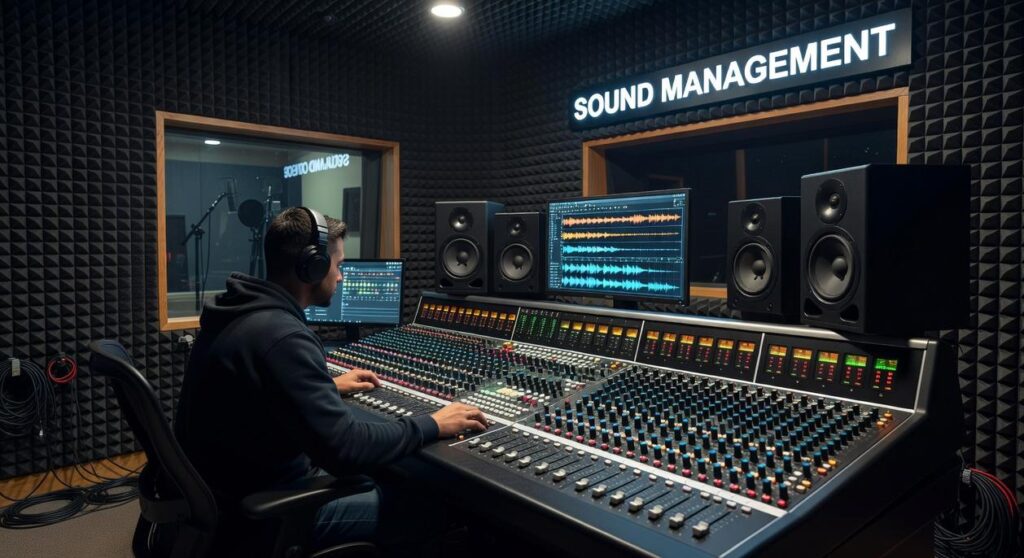
Let’s start with a hard truth: if you can’t control what you hear, you can’t control how you play. In my experience, audio is the most underrated competitive edge.
First, noise-canceling headsets are not a luxury. They’re leverage. Passive noise cancellation uses physical insulation (thick ear cups) to block sound. Active noise cancellation (ANC) uses microphones to detect external noise and produce inverse sound waves to cancel it (yes, literal sound-wave combat). Some argue they’re overpriced. I disagree. When unpredictable noises—traffic, roommates, barking dogs—cost you a clutch round, that “premium” suddenly feels cheap.
Next, fine-tune your in-game mix. Lower music. Reduce ambient filler. Boost critical cues like footsteps and ability sounds. Think of it like editing a movie trailer—only the important beats stay. This is how you build a true distraction free gaming setup.
For voice chat, I strongly recommend:
- Use push-to-talk.
- Keep comms short and specific.
- Call information, not emotions.
Open mics create auditory clutter (and nobody needs your mechanical keyboard solo).
Finally, manage external noise the low-tech way: close doors, add draft stoppers, declare focus hours. It sounds basic—but basics win games. Sometimes optimization isn’t flashy. It’s deliberate.
The Pre-Game Ritual: Priming Your Mind for Deep Focus
The 5-Minute Warm-Up
Before you queue up, prime your brain. Hydrate, stretch your hands and wrists, and define ONE clear goal (e.g., “focus on crosshair placement”). Research in sports psychology shows that specific goal-setting improves performance by up to 15% (Locke & Latham, 2002). Think of it like an athlete’s layup line—no NBA player walks in cold (and neither should you).
Clearing Mental Clutter
Use 60 seconds of box breathing—inhale four counts, hold four, exhale four, hold four. Studies show slow breathing can reduce heart rate and cortisol levels, improving focus under stress (Harvard Health, 2020). It’s a HARD RESET for your nervous system.
The Strategic Break
Marathon sessions feel productive, but cognitive performance drops after 60–90 minutes (University of Illinois, 2011). Schedule five-minute breaks each hour to stand and stretch. Pair this with a distraction free gaming setup to protect your attention (your rank will thank you).
For enhanced focus, consider integrating tools like the Scookiepad into your setup, which you can learn more about in our detailed ‘Set Up Instructions Scookiepad‘ article.
From Chaos to Control: Your New Gaming Sanctuary Awaits
You came here for a clear path to sharper focus and stronger performance—and now you have the blueprint. No more blown plays because of background noise or clutter. A distraction free gaming setup is your edge. Take control now: implement one tip before your next session and feel the difference immediately.
 Founder & Chief Visionary Officer
Drevara Dornhanna is the kind of writer who genuinely cannot publish something without checking it twice. Maybe three times. They came to expert breakdowns through years of hands-on work rather than theory, which means the things they writes about — Expert Breakdowns, Honzava Competitive Mechanics, Frontline Gaming Buzz, among other areas — are things they has actually tested, questioned, and revised opinions on more than once.
That shows in the work. Drevara's pieces tend to go a level deeper than most. Not in a way that becomes unreadable, but in a way that makes you realize you'd been missing something important. They has a habit of finding the detail that everybody else glosses over and making it the center of the story — which sounds simple, but takes a rare combination of curiosity and patience to pull off consistently. The writing never feels rushed. It feels like someone who sat with the subject long enough to actually understand it.
Outside of specific topics, what Drevara cares about most is whether the reader walks away with something useful. Not impressed. Not entertained. Useful. That's a harder bar to clear than it sounds, and they clears it more often than not — which is why readers tend to remember Drevara's articles long after they've forgotten the headline.
Founder & Chief Visionary Officer
Drevara Dornhanna is the kind of writer who genuinely cannot publish something without checking it twice. Maybe three times. They came to expert breakdowns through years of hands-on work rather than theory, which means the things they writes about — Expert Breakdowns, Honzava Competitive Mechanics, Frontline Gaming Buzz, among other areas — are things they has actually tested, questioned, and revised opinions on more than once.
That shows in the work. Drevara's pieces tend to go a level deeper than most. Not in a way that becomes unreadable, but in a way that makes you realize you'd been missing something important. They has a habit of finding the detail that everybody else glosses over and making it the center of the story — which sounds simple, but takes a rare combination of curiosity and patience to pull off consistently. The writing never feels rushed. It feels like someone who sat with the subject long enough to actually understand it.
Outside of specific topics, what Drevara cares about most is whether the reader walks away with something useful. Not impressed. Not entertained. Useful. That's a harder bar to clear than it sounds, and they clears it more often than not — which is why readers tend to remember Drevara's articles long after they've forgotten the headline.