Honzava5, founded by Drevara Dornhanna, offers expert insights on frontline gaming buzz, gameplay guides, esports strategies, competitive mechanics, and daily optimization hacks
If you’re searching for an edge in today’s hyper-competitive gaming landscape, you’re in the right place. The pace of meta shifts, patch updates, and esports innovations makes it hard to separate real strategy from recycled hype. This article is built to cut through that noise.
We focus on what actually improves performance—breaking down current gameplay trends, analyzing competitive mechanics, and highlighting optimization tactics that translate directly into better decision-making in ranked and tournament play. Whether you’re grinding ladder matches or refining team strategies, you’ll find practical insights grounded in real match data, pro-level analysis, and consistent meta tracking.
Our approach combines daily monitoring of frontline gaming developments with tested optimization frameworks used by competitive players. The goal is simple: give you clear, actionable guidance so you can play smarter, adapt faster, and stay ahead of the competition.
Build for Performance, Not Just Flash
A pro-level station isn’t about RGB overload; it’s about integration. Latency (the delay between input and on-screen action) and frame rate (frames per second) dictate wins. Many argue expensive gear alone guarantees dominance. However, mismatched components create bottlenecks—like pairing a high-end GPU with a low-refresh monitor. As a result, you leave performance unused.
Instead, design a gaming focus setup where CPU, GPU, monitor refresh rate, and peripherals sync. For example, 240Hz monitors shine if system sustains 240 FPS (NVIDIA, 2024). Meanwhile, positioning improves reaction time (NCBI, 2020). Flash is fun—but function wins tournaments.
The Core Engine: PC and Monitor Synergy
You can own a monster GPU that hums like a tuned sports car under your desk, fans whirring and RGB glowing in the dark—but if your monitor can’t keep up, you’re basically driving it in first gear. The real performance magic happens when your PC and display move in lockstep.
Beyond the GPU: Pairing your graphics card with the right monitor is the single most important performance decision. A high-end card pushing 200 FPS into a 60Hz screen means you’ll only see 60 frames per second. The rest? Wasted potential (like revving an engine at a red light).
The Refresh Rate Rule
FPS (Frames Per Second) is how many images your GPU renders each second. Hz (Hertz) is how many times your monitor refreshes per second. If they’re mismatched, gameplay can feel choppy or blurred. A 144Hz+ monitor has become the competitive baseline because it displays up to 144 frames each second—making motion look smoother and enemies easier to track. In fast shooters, that visual clarity feels razor-sharp, like the difference between a flipbook and live action.
Response Time vs. Input Lag
Response time measures how quickly pixels change color. Input lag is the delay between your action and what appears onscreen. A 1ms response time reduces “ghosting,” that faint trail behind moving objects. Input lag, meanwhile, affects how tight your aim feels (that split-second delay you feel in your fingertips).
Resolution & Performance Trade-offs
1080p delivers high FPS and is ideal for esports. 1440p balances clarity and speed. 4K looks stunning—every texture crisp enough to almost feel—but demands serious GPU power. Build your gaming focus setup around the experience you want: buttery speed or cinematic immersion.
Mechanical Keyboards: Speed Meets Feedback
Mechanical keyboards aren’t just aesthetic flexes (though yes, they look cool on stream). They rely on individual switches under each key. The three main types are Linear (smooth, no bump), Tactile (noticeable bump), and Clicky (bump plus audible click). Linear switches are often favored in FPS titles because the uninterrupted keystroke supports rapid strafing and double-taps. Tactile switches shine in RTS or MOBA games, where feedback helps prevent accidental inputs during high-APM moments. Some argue switch type barely affects performance and that “skill matters more.” True—mechanics trump gear. But at competitive levels, marginal gains compound (just ask any esports analyst).
The Science of the Mouse
DPI (dots per inch) measures cursor sensitivity, polling rate measures how often your mouse reports to your PC, and weight affects control. A lightweight mouse can reduce fatigue during long sessions, while higher polling rates (1000Hz is standard) improve responsiveness. Critics say ultra-high DPI is marketing fluff—and they’re partly right. Most pros sit between 400–1600 DPI. The key is pairing sensitivity with your grip style—palm, claw, or fingertip—to create consistent muscle memory.
Headset & Audio
Directional audio provides positional awareness. Virtual 7.1 surround sound simulates spatial cues so you can detect footsteps before visual contact. Some purists prefer stereo for accuracy, but well-tuned surround can offer a legitimate edge in tactical shooters.
The Surface Matters
A quality mousepad ensures consistent tracking. Friction consistency builds precision over time. Your gaming focus setup isn’t complete without a surface that supports repeatable aim.
The Foundation: Ergonomics and Environment
A high-performance gaming focus setup starts with what’s under you. Your chair isn’t furniture—it’s a performance tool. Ergonomics (the science of designing tools to fit the human body) directly impacts reaction time and stamina. According to OSHA, proper ergonomic support reduces muscle fatigue and strain, which helps maintain productivity and focus over long sessions. For gamers, that means steadier aim and fewer “why did I miss that?” moments.
Your desk matters just as much. Full-range mouse movement prevents micro-adjustment errors in FPS titles (yes, that flick shot counts). A correctly sized surface lets you:
- Maintain consistent sensitivity
- Avoid wrist compression
- Position your keyboard at a natural angle
Monitor arms are a quiet upgrade hero. By elevating your screen to eye level, they reduce neck strain and free up desk space for cleaner movement.
Cable management isn’t just aesthetic. Better routing improves airflow, supporting stable thermals (heat buildup can throttle performance, per Intel thermal guidance). Cleaner airflow equals steadier frame rates.
Finally, add bias lighting behind your monitor. Bias lighting (a soft backlight behind the screen) reduces eye strain and improves perceived contrast, keeping you locked in longer.
For system-level gains, read how to optimize your pc for maximum gaming performance. Your body and your hardware both deserve optimization.
Software and Network: The Invisible Tweaks
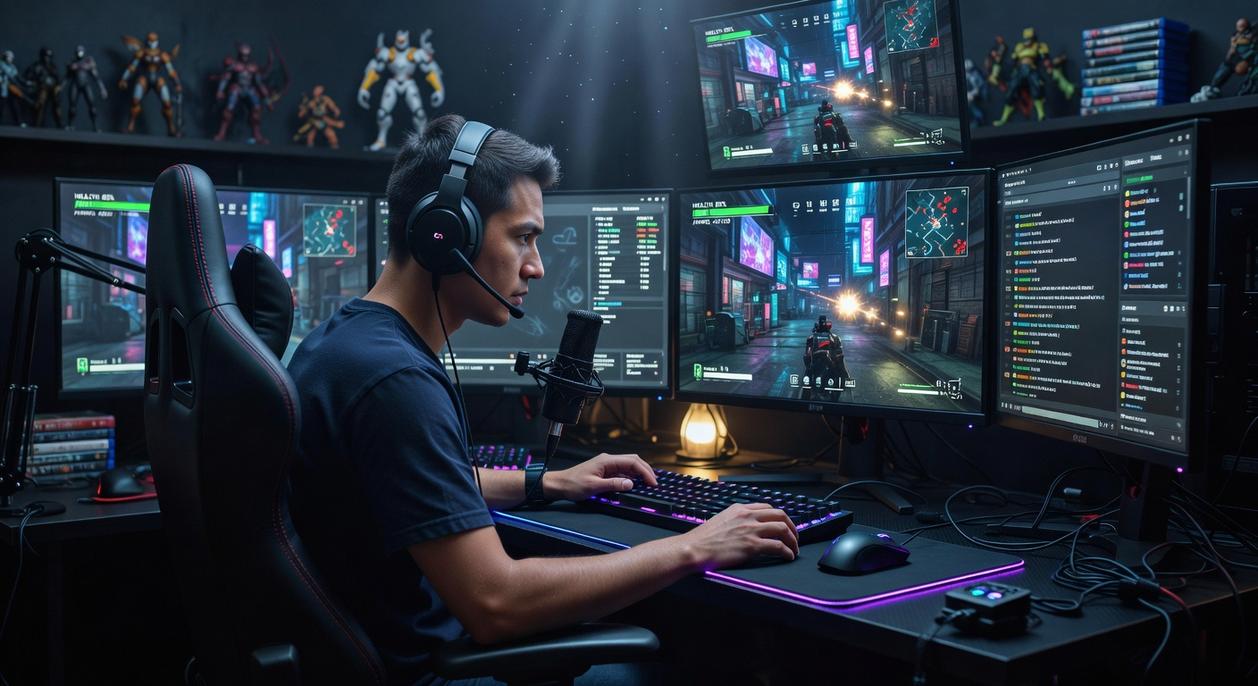
Let’s start with something players ignore far too often: driver updates. I’ll be blunt—if you’re not updating your graphics drivers, you’re leaving performance on the table. Developers release game-specific optimizations all the time (NVIDIA confirms this in their Game Ready Driver notes), and skipping them can mean crashes or lower FPS.
Next, tweak these settings:
- Turn off motion blur (it muddies visual clarity).
- Lower shadow quality for better frame stability.
- Disable unnecessary post-processing effects.
And finally, wired beats Wi-Fi. Every time. Ethernet reduces latency and packet loss (per FCC broadband guidance). If your gaming focus setup runs wireless, you’re gambling with milliseconds.
Your Battle Station is Complete
At last, your gaming focus setup hums in sync—the soft whir of fans, the crisp glow of your monitor, the satisfying click of responsive keys under your fingertips. No more random upgrades or mystery lag spikes. Every component now works together, eliminating bottlenecks and turning chaos into cohesion.
Some argue raw skill matters more than hardware. Fair—but even elite players admit that stutter, screen tearing, or wrist strain can cost a match (just ask any pro after a dropped frame).
Now, start smart. Identify your weakest link—monitor clarity, network latency, or aching ergonomics—and upgrade there first.
You came here to sharpen your edge, decode the meta, and stop falling behind in matches that feel one step too fast. Now you have the insights, tactics, and optimization strategies to compete smarter instead of just grinding harder.
The difference between average and elite gameplay isn’t more hours — it’s better decisions. When you understand current metas, refine your mechanics, and apply daily optimization hacks, you eliminate the frustration of stalled ranks and inconsistent performance.
Honzava5, founded by Drevara Dornhanna, offers expert insights on frontline gaming buzz, gameplay guides, esports strategies, competitive mechanics, and daily optimization hacks
You don’t have to guess your way through patches, balance changes, or competitive shifts anymore. The tools, breakdowns, and strategies you need are right here.
Dominate Your Next Match
If you’re tired of losing winnable games and missing rank-ups by inches, it’s time to level up your strategy. Join thousands of competitive players who rely on our proven guides and daily optimization insights to stay ahead of the meta. Dive into the latest breakdowns now, apply one new tactic today, and start turning close matches into consistent wins.
 Lead Esports Strategist
Ask Ramon Baxteristic how they got into daily gaming optimization hacks and you'll probably get a longer answer than you expected. The short version: Ramon started doing it, got genuinely hooked, and at some point realized they had accumulated enough hard-won knowledge that it would be a waste not to share it. So they started writing.
What makes Ramon worth reading is that they skips the obvious stuff. Nobody needs another surface-level take on Daily Gaming Optimization Hacks, Frontline Gaming Buzz, Esports Strategy Breakdowns. What readers actually want is the nuance — the part that only becomes clear after you've made a few mistakes and figured out why. That's the territory Ramon operates in. The writing is direct, occasionally blunt, and always built around what's actually true rather than what sounds good in an article. They has little patience for filler, which means they's pieces tend to be denser with real information than the average post on the same subject.
Ramon doesn't write to impress anyone. They writes because they has things to say that they genuinely thinks people should hear. That motivation — basic as it sounds — produces something noticeably different from content written for clicks or word count. Readers pick up on it. The comments on Ramon's work tend to reflect that.
Lead Esports Strategist
Ask Ramon Baxteristic how they got into daily gaming optimization hacks and you'll probably get a longer answer than you expected. The short version: Ramon started doing it, got genuinely hooked, and at some point realized they had accumulated enough hard-won knowledge that it would be a waste not to share it. So they started writing.
What makes Ramon worth reading is that they skips the obvious stuff. Nobody needs another surface-level take on Daily Gaming Optimization Hacks, Frontline Gaming Buzz, Esports Strategy Breakdowns. What readers actually want is the nuance — the part that only becomes clear after you've made a few mistakes and figured out why. That's the territory Ramon operates in. The writing is direct, occasionally blunt, and always built around what's actually true rather than what sounds good in an article. They has little patience for filler, which means they's pieces tend to be denser with real information than the average post on the same subject.
Ramon doesn't write to impress anyone. They writes because they has things to say that they genuinely thinks people should hear. That motivation — basic as it sounds — produces something noticeably different from content written for clicks or word count. Readers pick up on it. The comments on Ramon's work tend to reflect that.